Puzzle Platformer: Level Editor 2

Report an Issue

Let us know what's wrong with this game

Puzzle Platformer: Level Editor 2

Developer: Captain Core Creations
Published: 2025-12-18
Updated: 2026-06-27
Action Platformer Puzzle

Reviews

Puzzle Platformer: Level Editor 2 offers a satisfying blend of puzzle solving and creativity. The block placement mechanic is simple yet deep, requiring strategic thinking. The level editor is a standout feature, providing endless replayability through user-created content. It's a safe, engaging choice for players of all ages.

About this game

Game Introduction

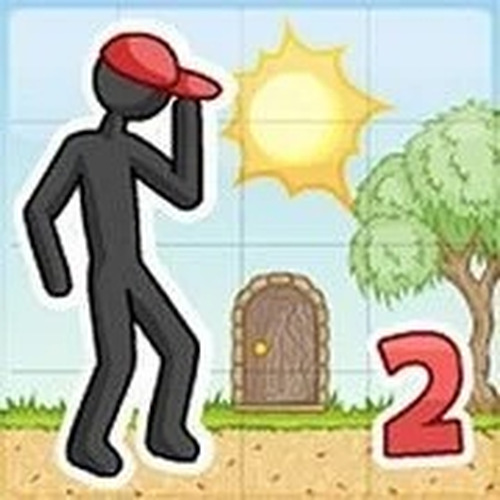
Puzzle Platformer: Level Editor 2 is an online puzzle game that combines character movement with block placement. The core objective is to guide a character through each level by placing blocks to overcome obstacles and reach the exit. What makes this game unique is its blend of puzzle solving and creative freedom, as players must think strategically about where to place blocks to create safe paths or block hazards. The game encourages problem-solving and imagination, making it a family-friendly activity suitable for all ages.

How to Play

Players typically control a character using arrow keys on their keyboard. The goal is to navigate through each level and reach the exit. Along the way, players use their mouse to click on empty spaces to place blocks. These blocks can be used to create bridges, block hazards, or form new routes. Each placement is important, as blocks are limited, so players must think carefully about their strategy. The controls are intuitive, allowing beginners to learn quickly while still offering depth for experienced players.

Game Features

Puzzle Platformer: Level Editor 2 includes creative level building with a simple editor, allowing players to design their own levels and share them. The game features intuitive controls using arrow keys and mouse clicks. It offers endless puzzle challenges with user-created levels, ensuring fresh content. The content is family-friendly and suitable for all ages. The game encourages logical thinking and creativity through its open-ended puzzle design.

Tips for Success

To succeed in Puzzle Platformer: Level Editor 2, take time to observe each level before making any moves. Plan your block placements carefully, as resources are limited. Experiment with different strategies to find the most efficient solution. Practice regularly to improve your problem-solving skills and speed. If you get stuck, try approaching the puzzle from a different angle or look for patterns in the level layout.
Compatibility

• OS: Windows 10+, macOS 11+, iOS 14+, Android 10+
• Browsers: Chrome 100+, Safari 15+, Edge 100+, Firefox 100+
• Not compatible with Internet Explorer
Tested on real devices ✅ works as expected
Advertisement

Faq

Can I share my custom levels with other players?
Yes, the game includes a level editor that allows you to design your own puzzles. You can share these creations with the community, and in turn, play levels made by others. This provides a nearly endless supply of new challenges.
Is there a time limit for completing levels?
The game does not impose a time limit. You can take as long as you need to observe the level and plan your block placements. This makes it suitable for players of all ages and skill levels who prefer a relaxed pace.
What happens if I run out of blocks before reaching the exit?
If you run out of blocks, you may need to restart the level and try a different strategy. The limited number of blocks encourages careful planning and efficient use of resources. Restarting is quick, allowing you to experiment with new approaches.
Are there any in-app purchases or ads in the game?
The game is designed to be family-friendly and may include optional ads or non-intrusive monetization. There are no mandatory purchases, and all core features, including the level editor and user-created levels, are fully accessible without spending money.
Can I play this game on a mobile device or tablet?
The game is primarily designed for desktop play with keyboard and mouse controls. However, some versions may be compatible with touch-screen devices. Check the platform's requirements to see if mobile or tablet support is available.
Is there a way to save my progress or bookmark favorite levels?
The game typically saves your progress automatically as you complete levels. You may also have the option to bookmark or favorite user-created levels that you enjoy, making it easy to return to them later.

Similiar Product

Tower Puzzle Quest

Strategy Puzzle

Tower Puzzle Quest offers safe, family-friendly puzzle fun with strategic hero movement and treasure collection.

PLAY NOW

Ocean Guardian Quest Adventure

Ocean Adventure Family Game Action

A fun, family-friendly sea adventure with ship upgrades and boss battles. Great for all ages.

PLAY NOW

Clever Collector Museum Dash 3D

3D Arcade Puzzle

A fun, family-friendly arcade game with colorful graphics and clever stealth gameplay.

PLAY NOW

European Championship Penalty Kick Challenge

Sports Action Soccer

A focused and fun penalty kick game that captures the pressure of a European Championship shootout.

PLAY NOW

Friendly Monster Escape Puzzle

Clicker Puzzle

A delightful, relaxing puzzle game with cute characters and clever hidden object challenges.

PLAY NOW

Crab Defender Arcade Action

Arcade Action

A fun, family-friendly arcade game that sharpens reflexes with simple controls and colorful graphics.

PLAY NOW