Cosmic Size Explorer 2 Learning Tool
Reviews
Description
Game Introduction
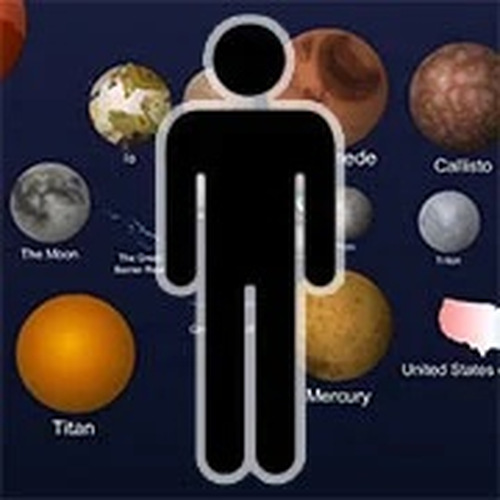
Cosmic Size Explorer 2 is an interactive educational tool that invites users to explore the vast range of sizes in our universe. Created by siblings Cary and Michael Huang, this experience transforms complex scientific concepts into a hands-on activity. By sliding a bar left or right, users can compare everyday items with extreme examples like atoms, cells, planets, and black holes. Each object is clickable, revealing quick facts that make learning intuitive and fun. The experience is designed for all ages, focusing on curiosity-driven exploration without overwhelming text. It is freely accessible on the web, making it a perfect resource for students, teachers, or anyone interested in space and science. The core objective is to provide a visual and interactive way to understand relative sizes, from the smallest subatomic particles to the largest cosmic structures. What makes this tool unique is its ability to present complex scientific data in a simple, engaging format that encourages self-paced discovery.
How to Play
Playing Cosmic Size Explorer 2 is straightforward and intuitive. Users start by dragging a slider bar left or right to navigate through different size scales, from the tiniest particles to the largest galaxies. Each object encountered can be clicked to display a brief fact, helping users understand its size relative to others. The experience encourages free exploration, so users can zoom in and out at their own pace. There are no scores or time limits, allowing focus purely on discovery. For the best experience, use a device with a mouse or touch screen for smooth navigation. The simple interface ensures that even young learners can easily interact with the content without needing instructions.
Game Features
Features include an interactive sliding bar for smooth size navigation. Clickable objects provide educational facts about each item. Content covers a wide range from subatomic particles to cosmic structures. The design is family-friendly with no ads or distractions. It is free to play on any web browser and suitable for independent learning or classroom use. The experience may include a variety of objects that represent different scales, allowing users to compare sizes visually. The tool is designed to be accessible to all ages, with no complex menus or instructions required.
Tips for Success
Take your time exploring each object to fully appreciate the scale comparisons. Click on items that interest you to learn more facts. Try to find the smallest and largest objects to see the full range. Share interesting discoveries with friends or classmates to enhance the learning experience. Use the tool as a starting point for deeper research on topics that catch your attention. Regular exploration will help reinforce understanding of relative sizes.








Player Comments
Sign in to comment
You must be logged in before posting a review or rating.
No account? Create one
No comments yet. Be the first to comment!