Velocity Track Runner
Published: 2026-07-30
Updated: 2026-07-30
Reviews
Velocity Track Runner delivers a solid retro racing experience directly in your browser. The track design is thoughtful, with distinct environments that require different driving approaches. The handling model feels responsive and rewards smooth inputs, making each race a test of skill. The progression system keeps things interesting by gradually introducing new challenges. It is an excellent choice for quick sessions or longer play.
Description
Course Variety & Visual Style
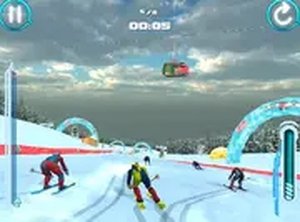
Velocity Track Runner features a selection of tracks set in distinct environments. Forest routes wind through dense trees, requiring drivers to stay alert for tight turns. Open snowy sections test a player's ability to maintain control on slick surfaces. Each course presents a unique layout with a mix of curves and straightaways that challenge drivers to keep up their pace. The retro-inspired graphics create a nostalgic feel, while the changing backdrops keep each race feeling fresh. Learning the specifics of each circuit becomes key to improving personal performance.Core Driving Mechanics
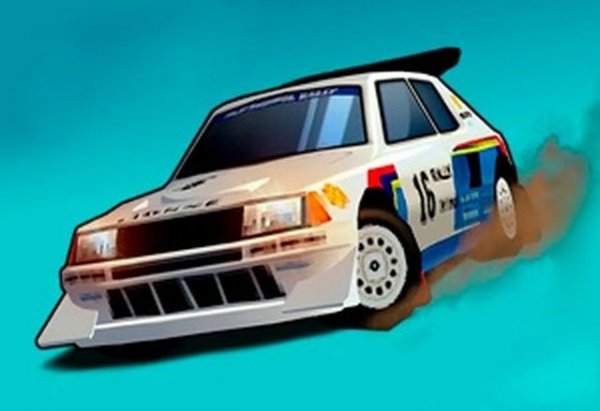
The game centers on fundamental driving actions. Players use keyboard inputs to steer, accelerate, and brake. The vehicle responds in a way that rewards smooth and deliberate inputs rather than sudden movements. Early tracks act as a practice ground for understanding how the car behaves under different conditions. As drivers progress, they learn to adjust their line through corners and manage speed on varying surfaces. The handling model is straightforward for newcomers but offers enough depth for those aiming to shave seconds off their times.Progression & Replay Value
Velocity Track Runner includes a progression system that introduces new tracks and conditions as players complete races. The challenge gradually increases, requiring drivers to adapt their strategies. Completing courses under certain conditions may unlock additional content or visual options. The game encourages repeated play by allowing players to chase personal best times. This structure supports both short sessions for a quick race and longer play periods for those wanting to master all tracks.Accessibility & Platform Support
Being a browser-based title, Velocity Track Runner runs on both desktop and mobile browsers without any installation. This makes it easy to start playing from almost any device with an internet connection. The controls are optimized for touch and keyboard inputs, ensuring a consistent experience across platforms. The game loads quickly and maintains a steady performance, which is important for a racing game where split-second reactions matter. This accessibility lowers the barrier for entry, allowing a wide audience to enjoy the experience.Compatibility
▸ Desktop: Chrome / Edge / Firefox / Safari
▸ Mobile: iOS Safari / Android Chrome
▸ Tablet: iPadOS Safari / Android Tablet Browser
Keep your browser updated for the best experience
Faq
Is Velocity Track Runner free to play?
Yes, Velocity Track Runner is completely free to play in your web browser. There are no hidden costs or subscriptions required. You can start racing immediately without any payment.
What devices support Velocity Track Runner?
Velocity Track Runner works on any device with a modern web browser, including desktop computers, laptops, tablets, and smartphones. It is optimized for both touch and keyboard controls.
How many tracks are available in Velocity Track Runner?
The game includes a variety of tracks set in different environments, such as forest paths and snowy routes. The exact number of tracks may vary, but new courses are unlocked as you progress through the game.
Can I play Velocity Track Runner offline?
No, Velocity Track Runner requires an internet connection to play. It is a browser-based game that loads from the web, so you need to be online to access and run it.
Are there any in-game purchases in Velocity Track Runner?
Velocity Track Runner does not include any in-game purchases. The game is designed to be a complete experience without the need for microtransactions. All content is accessible through gameplay.
How do I improve my lap times in Velocity Track Runner?
Improving lap times requires practice and learning each track's layout. Focus on smooth steering and braking to maintain speed through corners. Adjusting your driving line and managing speed on different surfaces will also help you achieve faster times.



Player Comments
Sign in to comment
You must be logged in before posting a review or rating.
No account? Create one
No comments yet. Be the first to comment!