CritNap Game
CritNap Game Free Browser Games
  • Home
  • Action
  • Strategy
  • Car
  • Simulator
  • Music
  • About
Sign In
Sign In
My Account Sign Out
Home Games Contact Sign In Account
All categories
Kids Drawing Coloring Fashion Dress Up Adventure Pixel Strategy Building Educational Simulator Puzzle Family Medical Funny Casual Action Arcade Simulation Car
  1. Home
  2. /
  3. Music
  4. /
  5. Sync Beat Carnival
Back to Games

Sync Beat Carnival

Developer: Reality Veil Digital
Published: 2026-10-01
Updated: 2026-10-01

Reviews

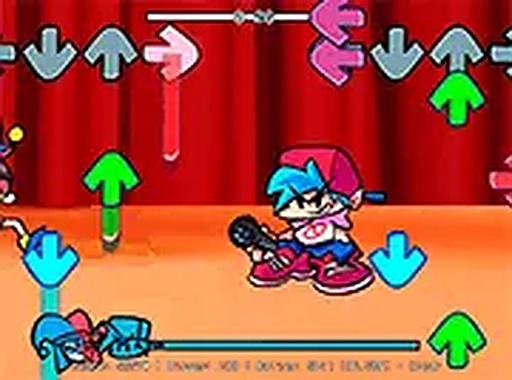
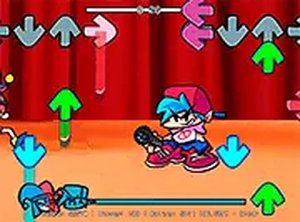
Sync Beat Carnival keeps its scope tight: match arrow prompts to the music, keep the meter up, and finish the track. The carnival visuals and upbeat soundtrack give it a distinct identity compared with darker rhythm games, while full-screen browser play removes friction. It suits players who want a quick, reflex-based challenge. The main limitation is that the exact number of songs is not specified, so the depth of content is unclear from the available information.

Description

Matching Prompts to the Beat

Sync Beat Carnival asks one thing of you: watch the screen, and press the arrow key that matches the prompt before it disappears. Each correct press pushes a progress meter upward. Missed prompts pull it down. You need to keep that meter above the failure line until the song ends. The loop is simple, but the timing window is what makes it demanding. There is no penalty for pressing early or late beyond the meter drop, so your job is to stay locked to the music rather than react to the visuals alone.

Carnival Look and Sound

The setting is a bright midway, with colorful background art and lively prompt animations. The visuals stay readable instead of cluttered, which matters when several arrows appear in quick succession. Upbeat tracks drive the pacing, and each song has its own tempo and rhythm. Because the music defines the timing, the soundtrack is not just decoration. It is the timing guide. That combination of festive visuals and beat-driven play separates it from rhythm games that use darker or more abstract styles.

Controls and Browser Access

Only the four arrow keys are needed, so there is nothing to memorize beyond which key corresponds to which direction. The game runs directly in a desktop web browser with no download or installation. A full-screen mode is available and is worth using, since it removes on-screen distractions and keeps your eyes on the prompts. Mouse input is also supported, though keyboard input is recommended for precision. The low control complexity makes it approachable for players who are new to rhythm games.

Song Progression and Difficulty

Each track functions as its own level, with a distinct rhythm and tempo. Later songs introduce faster sequences and more complex arrow patterns that demand sharper attention. The progress meter doubles as immediate feedback: you can see whether you are holding steady or losing ground. That feedback loop encourages replaying songs to improve accuracy and chase higher scores. Starting with slower tracks is a practical way to build confidence before moving to faster ones.

Editorial Notes

Meter as feedback

The progress meter does more than track completion. It gives immediate feedback on every input, so players can tell whether they are holding steady or losing ground. That constant readout encourages replaying songs to improve accuracy rather than just finishing them.

Music as timing guide

Because prompts often align with the beat, the soundtrack functions as a timing tool, not just background music. Players who listen closely can anticipate prompts instead of reacting only to what appears on screen. This makes audio awareness a practical skill in the game.

Low barrier controls

Limiting input to four arrow keys removes control complexity entirely. Newcomers can focus on timing rather than memorizing buttons. Full-screen mode further reduces distractions, which supports the game's emphasis on concentration over mechanical skill.

Compatibility

Play on Any Device | Chrome / Safari / Edge Recommended
Faq
Do I need to install anything to play Sync Beat Carnival?
No. Sync Beat Carnival runs directly in a desktop web browser, so there is no download or installation step. You can open the game and start playing. A full-screen mode is available, which is recommended because it reduces on-screen distractions and helps you focus on the arrow prompts.
Can I play Sync Beat Carnival with a mouse instead of a keyboard?
Yes, mouse input is supported. However, keyboard input using the four arrow keys is recommended for precision. Rhythm games depend on quick, accurate timing, and most players find that pressing keys gives more consistent results than clicking. If you are struggling with mouse timing, switching to the keyboard may help.
What happens if I miss a prompt in Sync Beat Carnival?
Missing a prompt causes the progress meter to drop. If the meter falls too low, you will not reach the end of the song. Successful inputs fill the meter back up. The goal is to keep it high enough throughout the track. There is no separate life system described beyond this meter.
How many songs or levels does Sync Beat Carnival include?
The exact number of tracks is not specified in the available information. Each song acts as a distinct level with its own rhythm and tempo. Later songs introduce faster sequences and more complex patterns. Because the track count is not confirmed, check the game itself for the current song list.
Is Sync Beat Carnival suitable for players who are new to rhythm games?
The controls are limited to four arrow keys, which makes the game easy to learn. Starting with slower songs allows newcomers to build confidence before attempting faster tracks. The main challenge is timing and concentration rather than complex inputs. Regular practice helps build muscle memory for common arrow patterns.
What is the best way to improve my accuracy in Sync Beat Carnival?
Listen closely to the beat of the music, because prompt timing often aligns with it. Practicing regularly builds muscle memory for recurring patterns. Staying relaxed during fast sections reduces errors. Using full-screen mode helps maintain focus. Beginning with slower songs and gradually moving to faster ones is a practical way to refine timing and reaction speed.

Player Comments

💬

Sign in to comment

You must be logged in before posting a review or rating.

No account? Create one

U
💬

No comments yet. Be the first to comment!

Similar Releases

Digital Coin Mining Idle Tycoon

Digital Coin Mining Idle Tycoon

TicTac.io Multiplayer Puzzle Game

TicTac.io Multiplayer Puzzle Game

Penalty Kick Challenge Sports

Penalty Kick Challenge Sports

Mini Golf Adventure 2

Mini Golf Adventure 2

Rainbow Space Guardian Action Game

Rainbow Space Guardian Action Game

Snow Slope Racing Champion

Snow Slope Racing Champion

Outpost Guardian Strategy

Outpost Guardian Strategy

Tap Away: Freddy's Clean-Up

Tap Away: Freddy's Clean-Up

© 2026  CritNap Game All rights reserved.

Privacy Policy | Terms of Use | About | Contact | Disclaimer

Sign In My Account

Game Account

Please enter your username or email.
Please enter your password.
Please enter a username.
Please enter a valid email.
Password must be at least 6 characters.
Passwords do not match.
Sync Beat Carnival
Sync Beat Carnival
Sync Beat Carnival
Sync Beat Carnival Entertainment
Sync Beat Carnival
Sync Beat Carnival
Sync Beat Carnival Entertainment

Tell us more

If you have any suggestions, please share them with us.