Sync Beat Carnival
Reviews
Description
Matching Prompts to the Beat
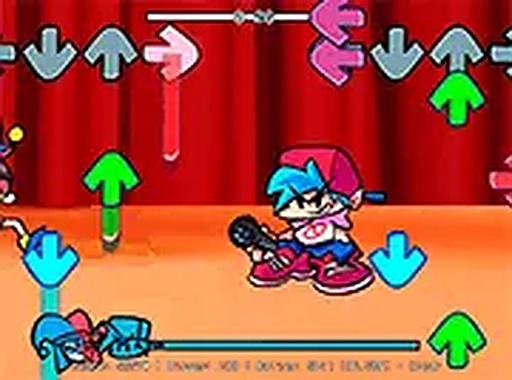
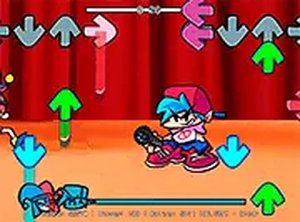
Sync Beat Carnival asks one thing of you: watch the screen, and press the arrow key that matches the prompt before it disappears. Each correct press pushes a progress meter upward. Missed prompts pull it down. You need to keep that meter above the failure line until the song ends. The loop is simple, but the timing window is what makes it demanding. There is no penalty for pressing early or late beyond the meter drop, so your job is to stay locked to the music rather than react to the visuals alone.
Carnival Look and Sound
The setting is a bright midway, with colorful background art and lively prompt animations. The visuals stay readable instead of cluttered, which matters when several arrows appear in quick succession. Upbeat tracks drive the pacing, and each song has its own tempo and rhythm. Because the music defines the timing, the soundtrack is not just decoration. It is the timing guide. That combination of festive visuals and beat-driven play separates it from rhythm games that use darker or more abstract styles.
Controls and Browser Access
Only the four arrow keys are needed, so there is nothing to memorize beyond which key corresponds to which direction. The game runs directly in a desktop web browser with no download or installation. A full-screen mode is available and is worth using, since it removes on-screen distractions and keeps your eyes on the prompts. Mouse input is also supported, though keyboard input is recommended for precision. The low control complexity makes it approachable for players who are new to rhythm games.
Song Progression and Difficulty
Each track functions as its own level, with a distinct rhythm and tempo. Later songs introduce faster sequences and more complex arrow patterns that demand sharper attention. The progress meter doubles as immediate feedback: you can see whether you are holding steady or losing ground. That feedback loop encourages replaying songs to improve accuracy and chase higher scores. Starting with slower tracks is a practical way to build confidence before moving to faster ones.
Compatibility
Faq
Player Comments
Sign in to comment
You must be logged in before posting a review or rating.
No comments yet. Be the first to comment!





Editorial Notes