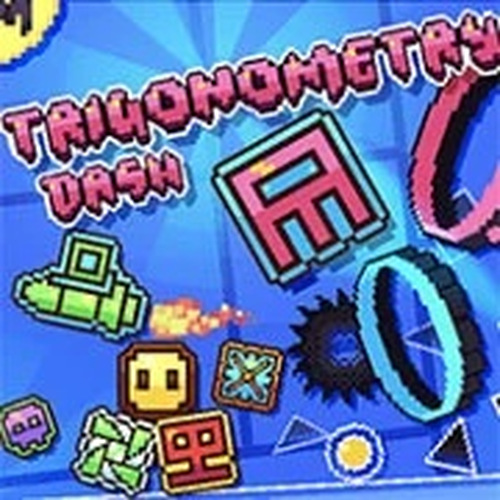
Geometry Rhythm Platformer

Report an Issue

Let us know what's wrong with this game

Geometry Rhythm Platformer

Developer: Idea Pixel Studios
Published: 2024-06-26
Updated: 2026-06-27
Platformer Rhythm Skill

Reviews

Geometry Rhythm Platformer offers a satisfying blend of music and movement. The level editor is a standout feature, allowing endless creativity. Controls are smooth, and the visuals are clean. It is a relaxing yet engaging game for all ages, perfect for short breaks or longer sessions.

About this game

Game Introduction

Geometry Rhythm Platformer is a rhythm-based platformer that challenges players to guide a character through a series of geometric obstacles. The game combines precise timing with vibrant, family-friendly visuals. Players must jump, boost, and flap at the right moments to progress through each level. The core concept revolves around syncing movements with the music, creating an engaging and immersive experience. With smooth controls and a clean design, Geometry Rhythm Platformer appeals to casual gamers and puzzle enthusiasts alike. The integrated level editor adds a creative layer, allowing players to design their own courses and share them with others. This combination of rhythm gameplay and creative freedom makes Geometry Rhythm Platformer a standout choice for anyone seeking fun and replayable online entertainment.

How to Play

To play Geometry Rhythm Platformer, use the keyboard controls. Press W, SPACE, or UP to jump, boost, swap, or flap. Navigate left with A or LEFT, and right with D or RIGHT. During wave sections, press S to move down. R returns you to the last checkpoint, and ESC pauses the game. In the level editor, use W, A, S, D to move the camera and SCROLL to zoom. Place tiles with the left mouse button, delete with the right mouse button, and rotate selections with Q and E. Use the middle mouse button to make or move selections, and DELETE to remove them. Hold CTRL while moving for half increments, CTRL+SHIFT for pixel-perfect placement, and CTRL while rotating to snap to the grid. Toggle the grid with G. These controls make it easy to play and create levels.

Game Features

Game features include rhythm-based platforming that tests your timing and reflexes. The built-in level editor allows you to design custom courses and test your creativity. Family-friendly content ensures a safe experience for players of all ages. Smooth controls and vibrant graphics enhance the gameplay. The game offers endless replayability through user-generated levels and challenging obstacles.

Tips for Success

You will like Geometry Rhythm Platformer because it combines music and movement in a satisfying way. The level editor adds a personal touch, letting you build and share your own challenges. It is a relaxing yet engaging game for short breaks or longer sessions.

Compatibility

• OS: Windows 10+, macOS 11+, iOS 14+, Android 10+
• Browsers: Chrome 100+, Safari 15+, Edge 100+, Firefox 100+
• Not compatible with Internet Explorer
Tested on real devices ✅ works as expected
Advertisement

Faq

Can I play Geometry Rhythm Platformer on mobile devices?
The game is designed for keyboard controls, which may not be fully supported on all mobile devices. For the best experience, play on a computer or tablet with a keyboard attachment. Some mobile browsers may still work, but controls might be less responsive.
Is there a way to save my progress in the level editor?
Yes, the level editor likely includes a save function to store your custom courses. Typically, you can save your work and return later to continue editing. Saved levels can also be shared with others, but specific sharing methods may vary depending on the platform.
What type of music is featured in the game?
The game includes a variety of upbeat, family-friendly music tracks that sync with the gameplay. The exact genres are not specified, but they are designed to match the rhythm-based mechanics, making each level feel unique and engaging.
Are there any in-app purchases or ads in the game?
Based on the available information, the game is free to play and may include optional in-app purchases or advertisements. These are typically used to support development and can include cosmetic items or ad-free experiences, but no real money gambling is involved.
How can I share my custom levels with other players?
The level editor likely includes a sharing feature that allows you to upload your courses to a community server. Other players can then download and play them. Specific sharing methods, like codes or direct links, may be provided within the game interface.
What happens if I get stuck on a difficult section?
If you get stuck, you can use the checkpoint system by pressing R to return to the last checkpoint. Practice the section repeatedly, focus on the rhythm, and adjust your timing. The level editor also lets you create simpler versions of tough sections to improve your skills.

Similiar Product

Brave Adventurer Puzzle Run

Arcade Adventure Puzzle

A charming puzzle adventure with clever level design and bright visuals. Great for family play.

PLAY NOW

Melody Monsters Rhythm Match

rhythm music family-friendly

A fun rhythm game with original music and charming characters. Great for all ages.

PLAY NOW

Snowy Island Explorer 3D

Action Platformer Adventure

A charming, stress-free 3D platformer with beautiful snowy islands and jewel collecting. Perfect for casual play.

PLAY NOW

Polygon Leap Arcade Challenge

Action Arcade Platformer

A colorful and engaging platformer that rewards precise timing and offers endless replayability for all ages.

PLAY NOW

Spark Runner: Mechanical World

Adventure Arcade Machines

A well-paced platformer with clear visuals and fair challenges. The gradual difficulty curve makes it accessible for newcomers while still offering engaging gameplay for genre fans.

PLAY NOW

Panda Paws: Candy Trail

Adventure Animal Platformer

A charming, low-stress platformer with responsive controls and cheerful visuals that players of any age can enjoy.

PLAY NOW